
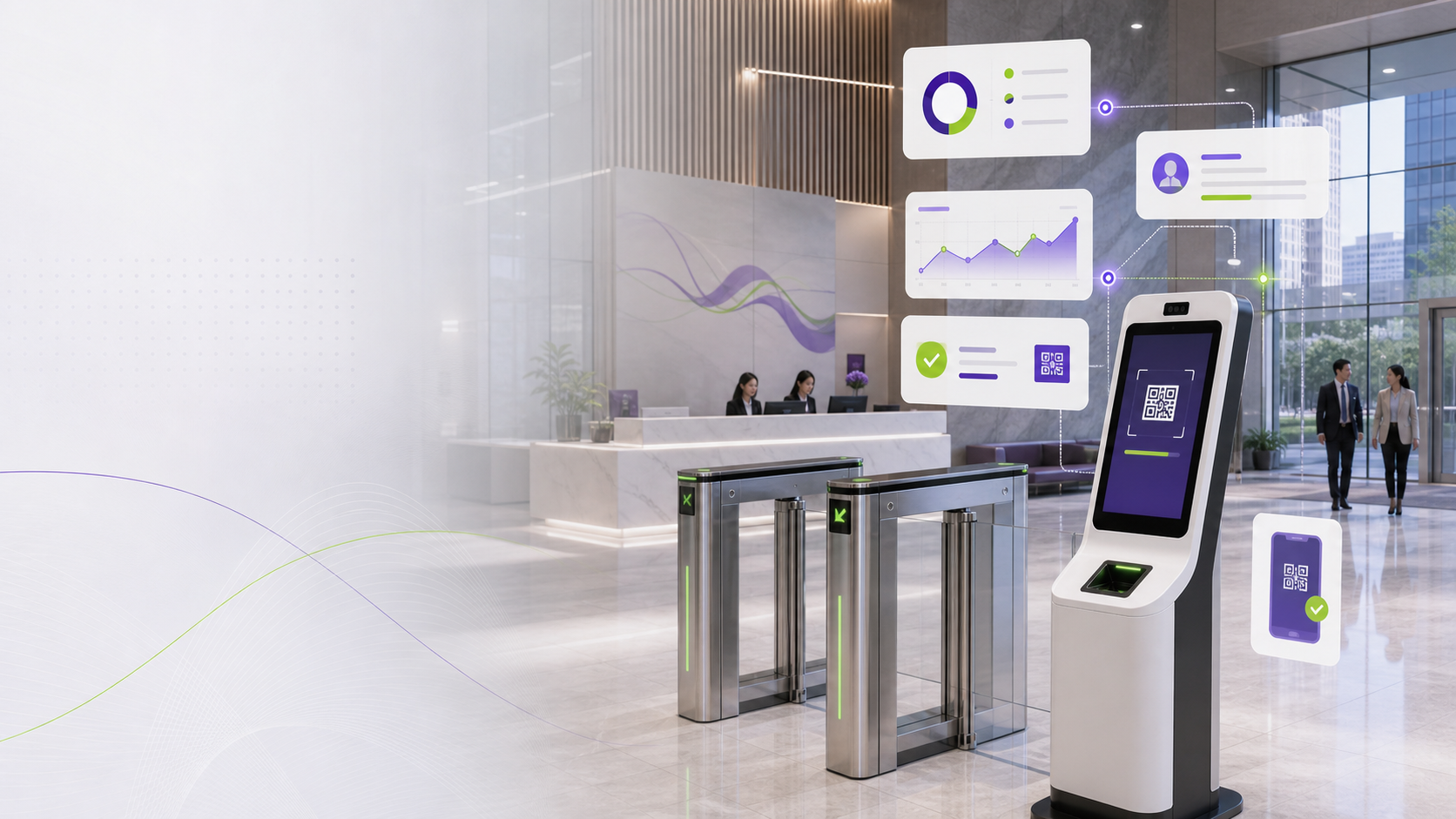
Trusted by Operational Teams
Qbasis visitor management work spans enterprise offices, transport operators, logistics sites, industrial facilities, residential environments, clubs, and secure building operations.













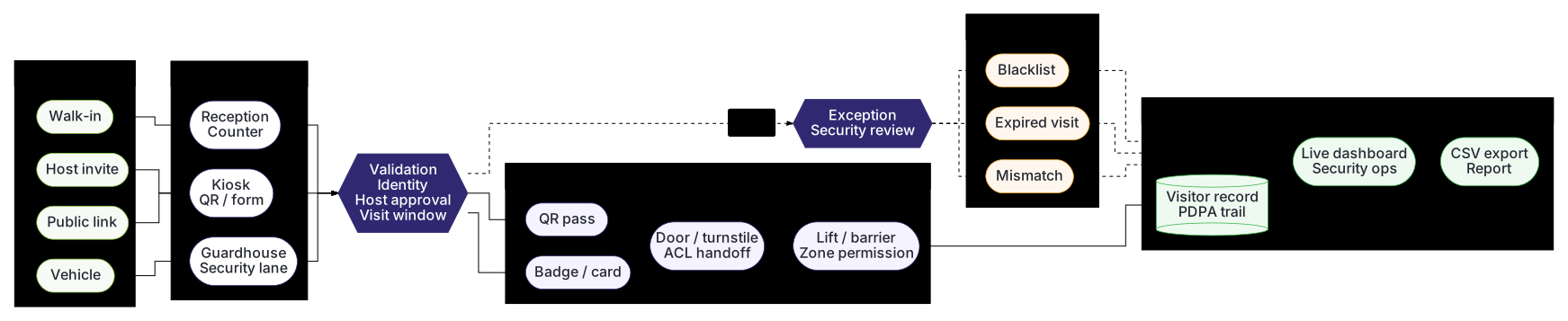
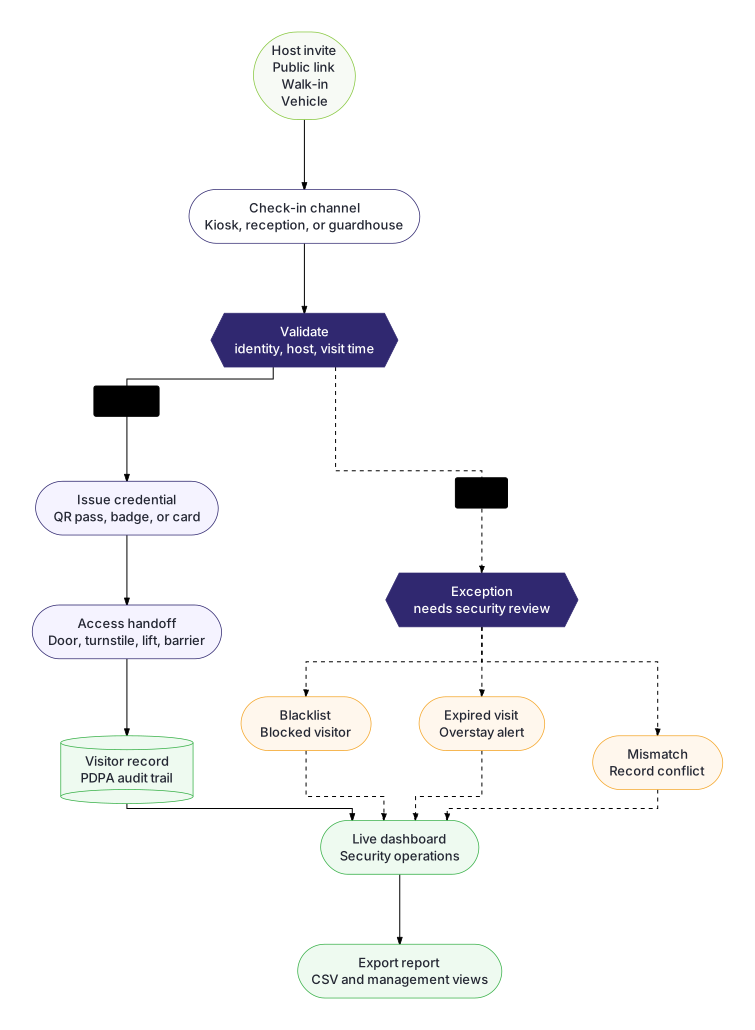
System workflow
Built for complex enterprise visitor and access workflows
Qbasis VMS can be configured around site-specific check-in journeys, guardhouse operations, access-control handoffs, exception reviews, and audit reporting for enterprise environments.
Operating model
Arrival, access, security, and reporting stay connected.
Qbasis VMS links the visitor journey from first registration to physical access, exception handling, and audit-ready reporting.
 01
01 Arrival
Move visitors through QR, kiosk, returning visitor, reception, or guardhouse flows.
 02
02 Access
Issue the right door, turnstile, lift, badge, card, barrier, or parking permission.
 03
03 Security
Escalate blacklist, mismatch, expiry, wrong-site, and manual review events.
 04
04 Reporting
Preserve visitor, host, consent, access, check-out, alert, and export history.
Platform modules
Configurable modules for reception, guardhouse, access, security, and reporting
Short module view for buyers comparing visitor management features, deployment scope, and operational coverage.
| Feature | Description | |
|---|---|---|
| Pre-registration | Invite visitors before arrival | |
| Walk-in registration | Create visits at reception | |
| Public links | Let visitors submit details | |
| Visitor types | Separate guest and contractor flows | |
| Returning visitors | Find repeat visitors quickly | |
| Custom fields | Capture site-specific visitor data | |
| Photo records | Store visitor identity images | |
| Host approvals | Route visits to hosts | |
| Feature | Description | |
| Kiosk check-in | Self-service lobby registration | |
| QR check-in | Fast scan-based arrival | |
| Assisted mode | Staff-managed reception support | |
| Consent screens | Capture PDPA acknowledgement | |
| Declarations | Record safety confirmations | |
| Digital signature | Sign forms and NDAs | |
| Badge printing | Print visible visitor passes | |
| Check-out | Close visits cleanly | |
| Feature | Description | |
| Arrival queue | Track expected visitors | |
| Contractors | Manage recurring site access | |
| Vehicle details | Record plates and drivers | |
| Parking workflow | Approve visitor parking | |
| ALPR-ready | Prepare plate matching | |
| Manual override | Document guard decisions | |
| Delivery flow | Handle vendors and deliveries | |
| Remote entrances | Support distributed gates | |
| Feature | Description | |
| QR credential | Issue temporary access passes | |
| Visitor card | Assign physical credentials | |
| Turnstiles | Validate controlled entry | |
| Door access | Grant temporary permissions | |
| Lift access | Route approved floors | |
| Card return | Control credential sign-out | |
| Printers and scanners | Connect kiosk peripherals | |
| Directory sync | Integrate workplace identity | |
| Feature | Description | |
| Blacklist | Flag blocked visitors | |
| Stranger alert | Review unknown persons | |
| Expired visit | Hold invalid arrivals | |
| Wrong site | Catch location mismatches | |
| Failed attempts | Alert repeated failures | |
| Banned visitors | Maintain restricted lists | |
| User roles | Limit user permissions | |
| Audit trail | Track record changes | |
| Feature | Description | |
| Live visitor view | See on-site visitors | |
| Visitor history | Search past visits | |
| Exception reports | Review security events | |
| Access events | Connect scans to visits | |
| Filters | Narrow operational records | |
| CSV export | Download management reports | |
| Multi-site view | Monitor buildings and gates | |
| Dashboards | Show operational status | |
| Feature | Description | |
| On-premise | Run inside local networks | |
| Cloud | Support remote management | |
| Standalone network | Operate in isolated sites | |
| Hybrid | Combine local and cloud | |
| High availability | Plan redundant operation | |
| Encrypted backups | Protect visitor records | |
| Remote support | Enable support response | |
| Customization | Adapt forms and workflows | |
Solution preview
Configurable visitor-management workflows, shown as focused product moments
These simplified interface examples show the feature blocks Qbasis can configure for enterprise visitor journeys, approvals, guardhouse handling, access control, exceptions, and reporting.
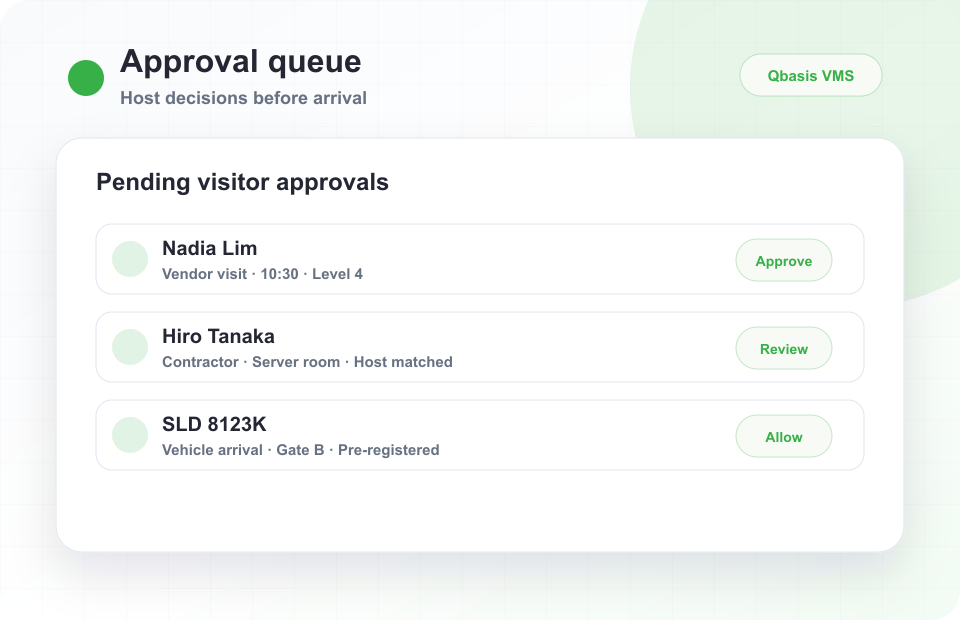
Host approval workflow
Route planned visitors, contractors, and vendors through host or security decisions before they arrive on site.
- Pending approval queue
- Host matching and review states
- Clear approve, review, or allow actions
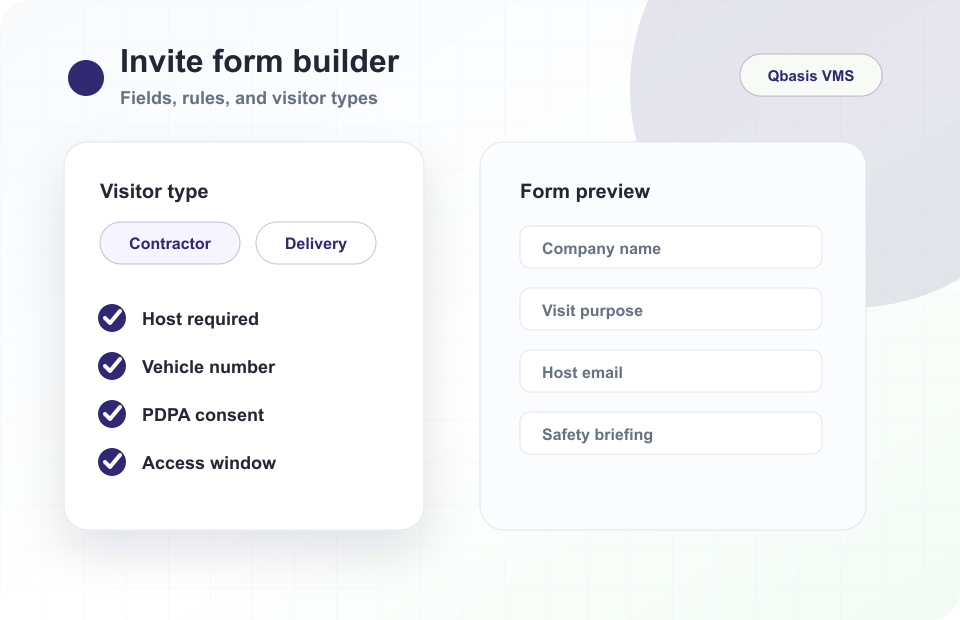
Configurable invite forms
Build different registration flows for visitors, contractors, deliveries, interviews, vehicles, and secured areas.
- Visitor type rules
- Required fields by workflow
- Consent and access window capture
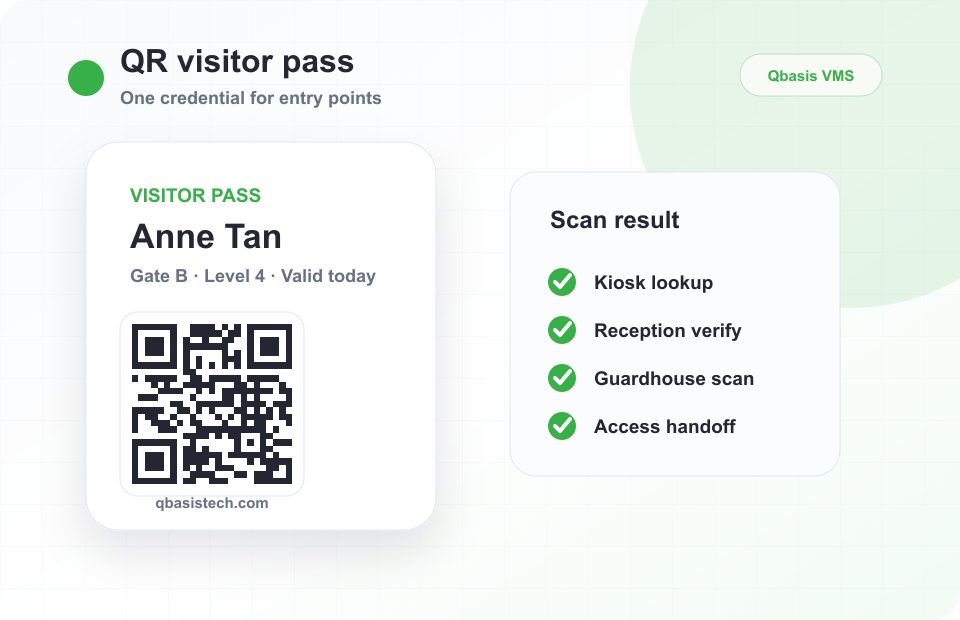
QR visitor credentials
Give visitors a reusable pass that can support kiosk lookup, reception verification, guardhouse scan, and access handoff.
- Pre-arrival QR pass
- Validity and site details
- Credential use across channels
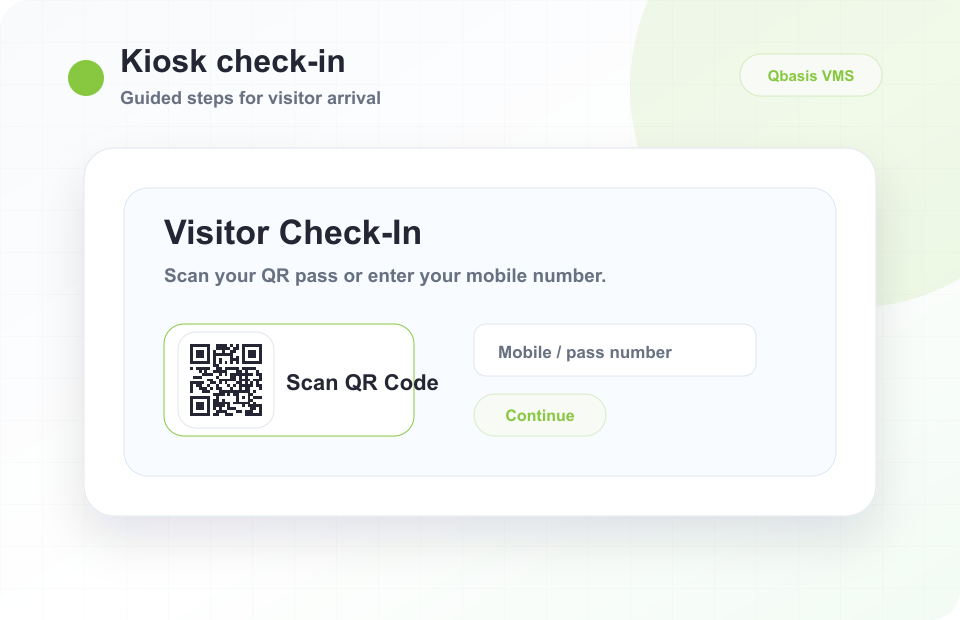
Self-service check-in
Reduce front-desk effort with guided kiosk steps for QR scan, detail confirmation, PDPA consent, and pass issue.
- Large-screen visitor flow
- Step-by-step arrival process
- Reception fallback when needed
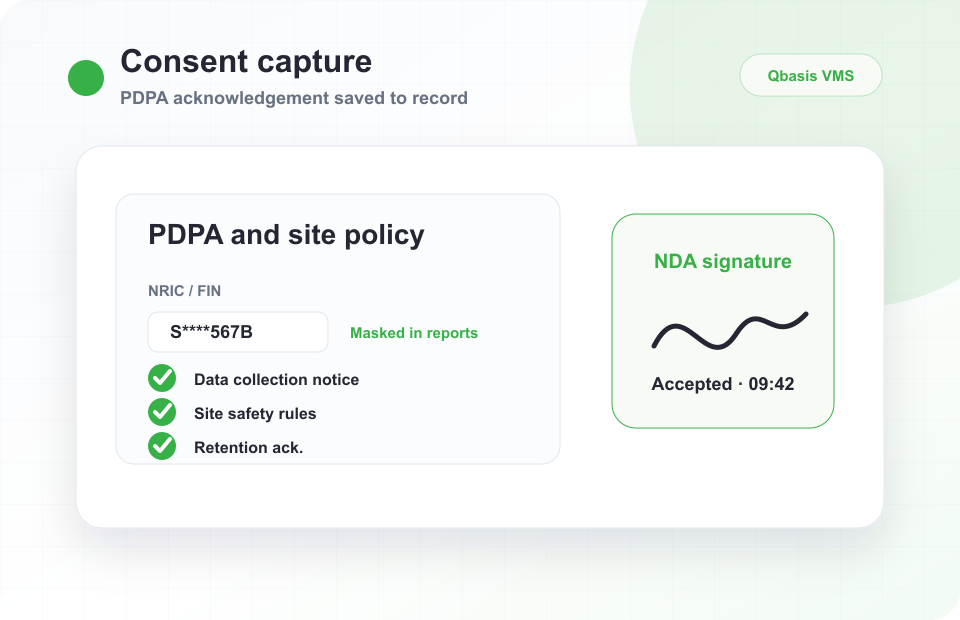
Consent capture
Attach PDPA acknowledgement, site policy acceptance, safety notices, and retention records to the visit history.
- Policy acknowledgement
- Timestamped consent
- Audit-ready visitor record
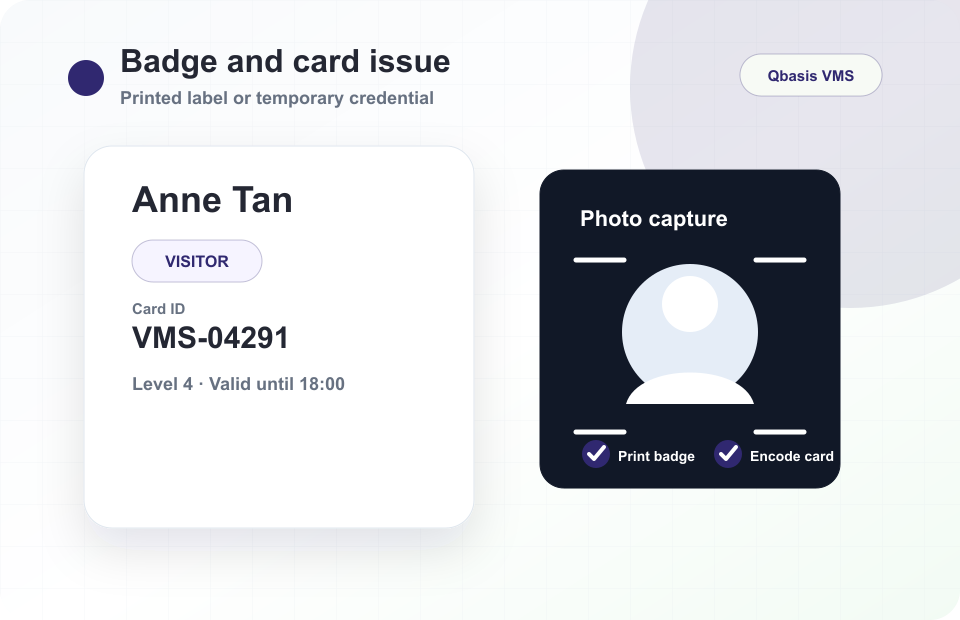
Badge and card issue
Support printed visitor badges, temporary cards, QR passes, and controlled credential issue from the same workflow.
- Badge print preview
- Temporary card issue
- Credential status tracking
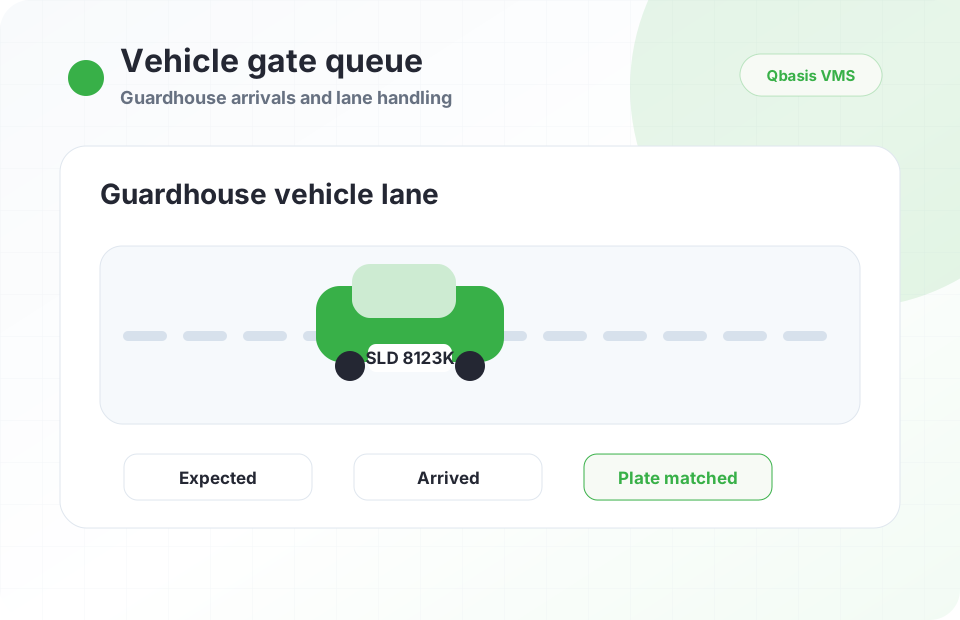
Vehicle and gate queue
Give security teams a lane-oriented view for planned vehicles, delivery arrivals, holds, and mismatch review.
- Expected vehicle list
- Lane and hold states
- Guard-assisted decisions
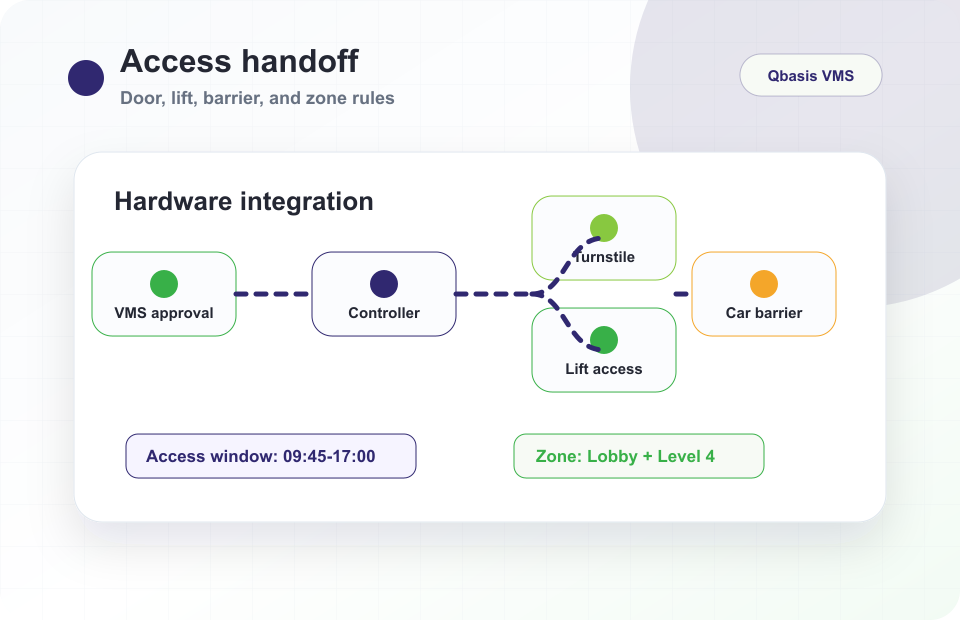
Door, lift, and barrier handoff
Translate an approved visit into the correct access-control rule for doors, turnstiles, lifts, barriers, and zones.
- Access window mapping
- Zone permission handoff
- Door, lift, and barrier support
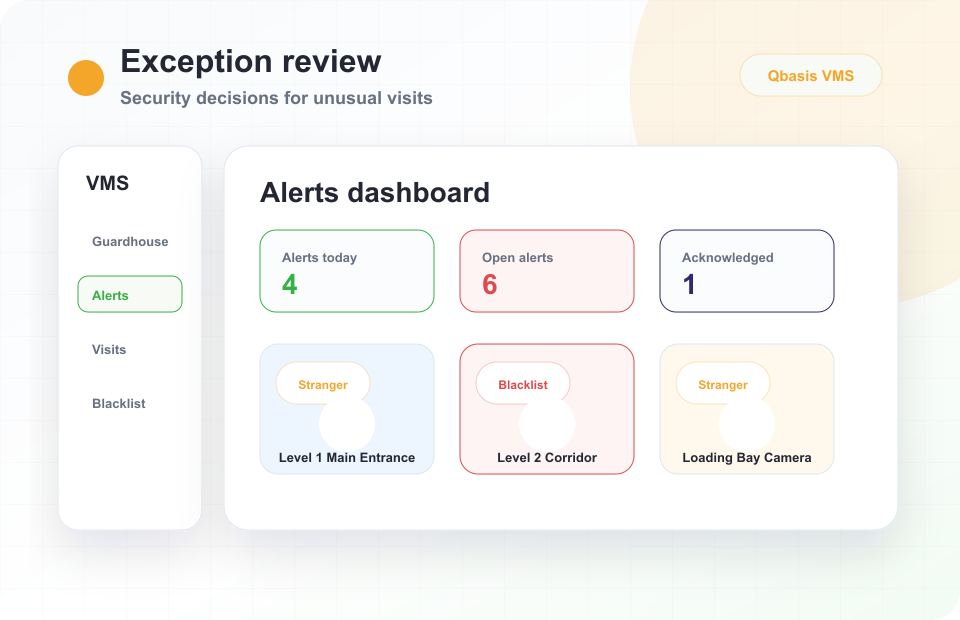
Exception handling
Surface blacklist, expired visit, wrong-site arrival, watchlist, and record mismatch events for security review.
- Block and hold actions
- Review board for exceptions
- Visible escalation trail
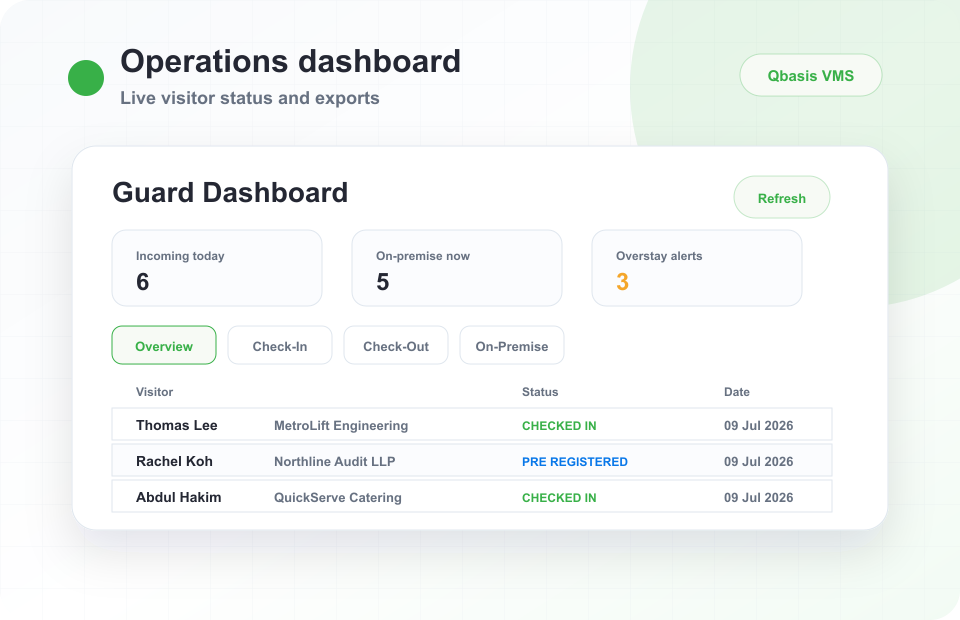
Live dashboard and audit export
Monitor live visitor activity, on-site counts, exception alerts, and exportable audit records for operations review.
- Live visitor counters
- Status and alert charts
- CSV and management exports
Visitor Management System Features
| Feature category | Included capabilities | Operational value |
|---|---|---|
| Visitor registration | Pre-registration, walk-in registration, host invitations, returning visitor lookup, custom visitor types, configured approvals, public links, contractor/vendor flows, and visitor records. | Consistent records for office reception, tenant visitor flow, events, vendors, contractors, and regulated site access. |
| Visitor kiosk | QR scanning, visitor lookup, registration forms, face capture, PDPA agreement screens, badge printing, label printing, OCR readiness, and completion screens. | Lower reception load and faster visitor throughput for lobbies, guardhouses, desktop stations, and wall-mounted check-in points. |
| Reception console | Visitor details, host and company fields, consent status, registration completion, badge print status, visit records, visitor search, and profile data. | Front desk teams can assist visitors quickly while keeping operational visibility and searchable records. |
| Guardhouse operations | Walk-in visitors, returning visitor lookup, live queues, manual approvals, check-in/check-out, visitor verification, vehicle details, and on-premise visitor status. | Strong fit for industrial sites, depots, logistics facilities, residential compounds, and secure sites with distributed arrivals. |
| Security review | Blacklist checks, stranger alerts, facial recognition readiness, CCTV-related review, OCR, ALPR, alert records, and status tracking. | Security teams get traceable exception handling and review history instead of isolated manual notes. |
| Reporting | Dashboards, exports, audit trails, visitor history, date filters, visitor field filters, alert reports, and compliance history. | Facility, security, compliance, and management teams can review visitor activity by site, date, status, or exception type. |
Visitor workflow review
Map your current visitor, guardhouse, and access-control flow before choosing software.
Qbasis can review your visitor types, approval steps, access points, badges, QR credentials, parking rules, and reporting needs before recommending deployment architecture.
Visitor Journey Workflow
Register, validate, control, report
The VMS should not stop at check-in. It should validate the visitor, connect to site controls, and preserve audit history for operational review.
01
Plan visit
Host invite, public link, tenant booking, contractor schedule, or planned vehicle arrival.
 02
02
Arrive
Kiosk QR scan, reception assist, guardhouse lane, returning visitor lookup, or walk-in registration.
03
Validate
Check identity, host, company, visit window, consent, watchlist, vehicle plate, and site rules.
04
Issue access
QR pass, badge, card, door, turnstile, lift, parking, or barrier permission.
 05
05
Review exceptions
Hold blacklist hits, expired visits, wrong-site arrivals, missing consent, or vehicle mismatches.
06
Close and report
Check out, collect cards, preserve audit trail, show live status, and export records.
Access control integration
Visitor approval can become a real site-access action.
Qbasis VMS can connect visitor registration to turnstiles, lifts, doors, barriers, vehicle lanes, cards, QR credentials, and security systems so approval does not stop at a database record.
Security and governance
Security, PDPA, and Compliance
Visitor management should support PDPA-conscious data capture, role-based access, traceable visitor movement, exception handling, retention planning, and exportable records without overclaiming legal compliance.
| Governance area | What the VMS handles | Records and controls | Why it matters |
|---|---|---|---|
| Privacy notice and consent | PDPA notice, site policy acknowledgement, NDA signature, visitor declaration, purpose of visit, and consent status. | Timestamped acknowledgement, signed record, configured mandatory fields, and consent history tied to the visit. | Helps teams show that visitor data collection follows a defined front-desk or guardhouse process. |
| Identity verification | Visitor photo, face image, returning visitor lookup, QR credential, OCR-ready identity fields, phone or email, and vehicle details. | Visitor profile, image evidence, masked sensitive identifiers, verification status, and registration completion state. | Creates stronger visitor evidence than paper logbooks while supporting faster repeat visitor handling. |
| User access and authentication | Admin, reception, guard, security supervisor, tenant, host, and reporting-user permissions, with support planning for 2FA, OTP, SSO, Azure AD, LDAP, Okta, or identity-provider integration. | User roles, access rights, export permissions, blacklist permissions, report visibility, activity logs, login controls, and authentication policy alignment. | Limits sensitive visitor data and security functions to the teams that actually need them while fitting enterprise identity requirements. |
| Physical access events | Turnstile scan, door access, lift permission, visitor card, badge print, parking approval, ALPR, barrier event, and check-out. | Access event history, on-premise visitor status, card issue/return records, parking log, and sign-in/sign-out trail. | Connects registration to actual site movement for secure buildings, depots, and industrial facilities. |
| Watchlist and exceptions | Blacklist checks, stranger detection readiness, expired visit, wrong site, unapproved visitor, vehicle mismatch, and security review. | Alert status, reviewer notes, investigation history, CCTV or image review context, and exception reports. | Helps teams focus on visitor events that require action instead of manually searching logs after an incident. |
| Audit trail and accountability | Record creation, approval decisions, edits, check-in/check-out, card issue, manual override, and report export actions. | User activity logs, timestamps, reviewer notes, approval history, override reason, and export history. | Gives security, facilities, and management teams a traceable record for post-incident or operational review. |
| Retention and reporting | Retention policy planning, backup expectations, dashboard filters, date ranges, status filters, CSV exports, and report access. | Report snapshots, export logs, visitor history, management dashboards, and configured retention workflows. | Supports policy-aligned visitor data handling and repeatable reporting without overclaiming legal compliance. |
Deployment Architecture
Technical deployment
Cloud, on-premise, hybrid, local network, and high availability options
Secure sites often need more deployment flexibility than a lightweight cloud-only visitor app. Qbasis can support architecture planning around network constraints, access-control dependencies, site security, reporting, backup, and redundancy needs.
On-premise
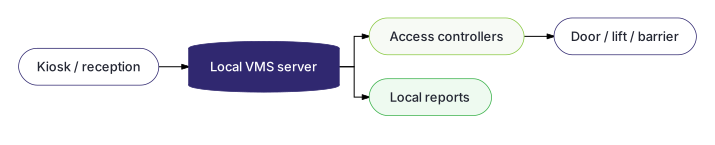
Best fit: secure sites, controlled server access, cloud-restricted environments, and sensitive operations.
Needs: local server, network rules, backups, and access hardware connectivity.
Cloud
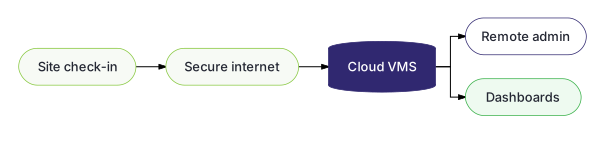
Best fit: remote management, faster rollout, centralized dashboards, and lower local infrastructure overhead.
Needs: reliable internet access, cloud administration, and remote reporting access.
Hybrid
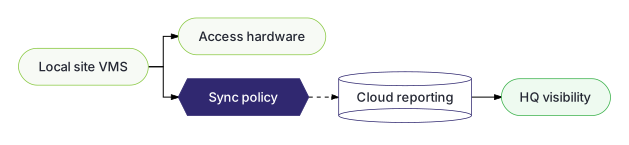
Best fit: local reliability with selected cloud reporting, multi-site visibility, or remote administration.
Needs: defined sync logic, network rules, data ownership, and support responsibilities.
High availability
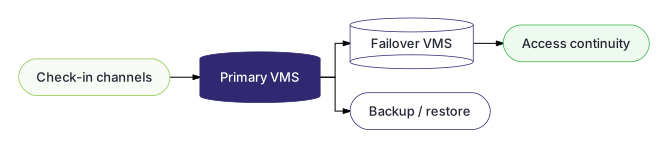
Best fit: critical access workflows that need redundancy and low-downtime operating design.
Needs: redundancy planning, backups, failover expectations, and operational support.
Industry Use Cases
Where to start
Start with the site workflow, not the software checklist
The right VMS design depends on where visitors enter, who approves them, what they need to access, and which records the site must keep for review.

Commercial buildings
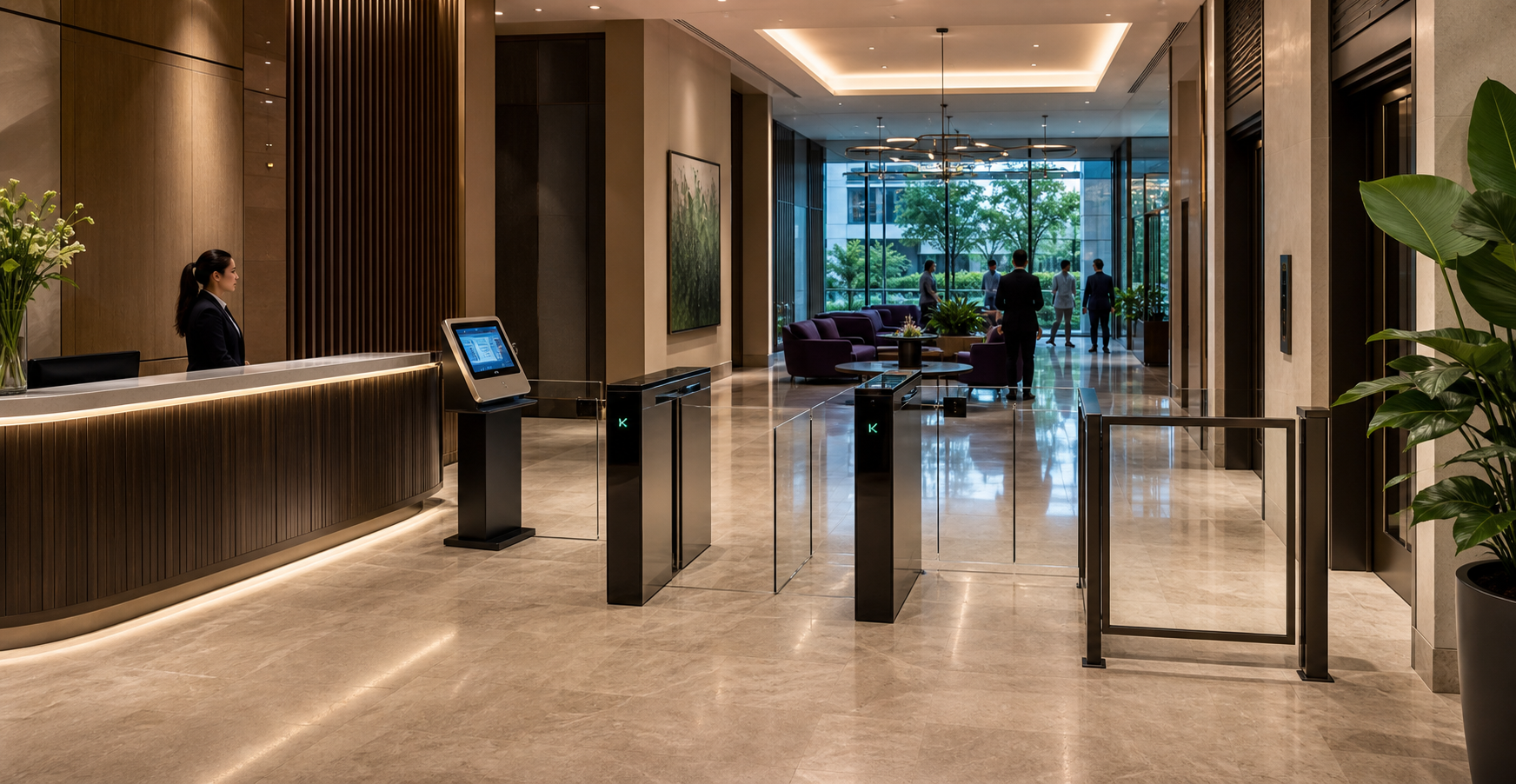
Tenant pre-registration, QR access, turnstile entry, lift access, reception handling, visitor audit, and card collection.

Logistics and industrial sites
Guardhouse registration, contractor records, vehicle details, ALPR, barrier access, parking workflow, visitor audit, and multi-site dashboards.
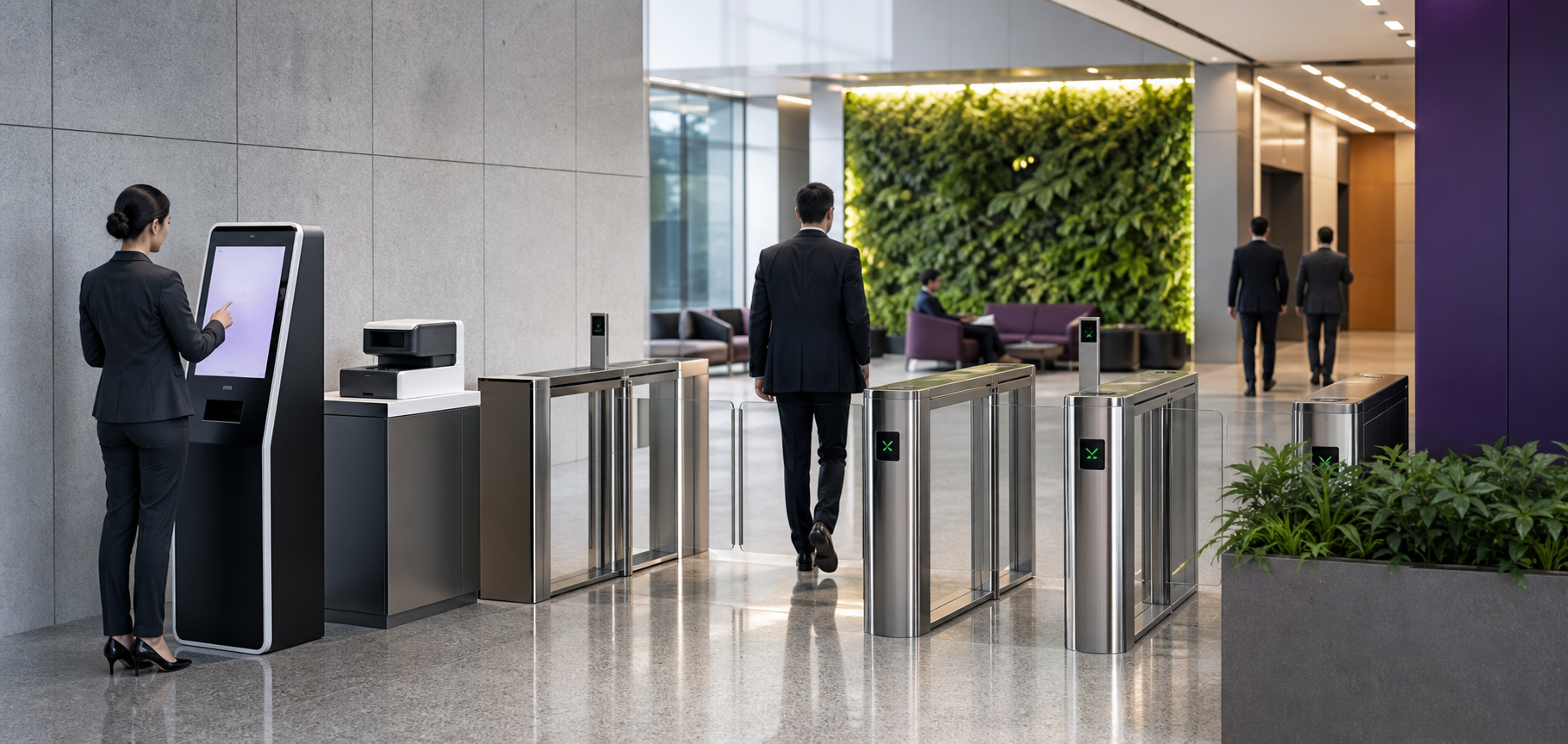
Finance and enterprise offices
Self-service lobby kiosks, branded visitor labels, host approval, visitor history, PDPA records, and controlled access.
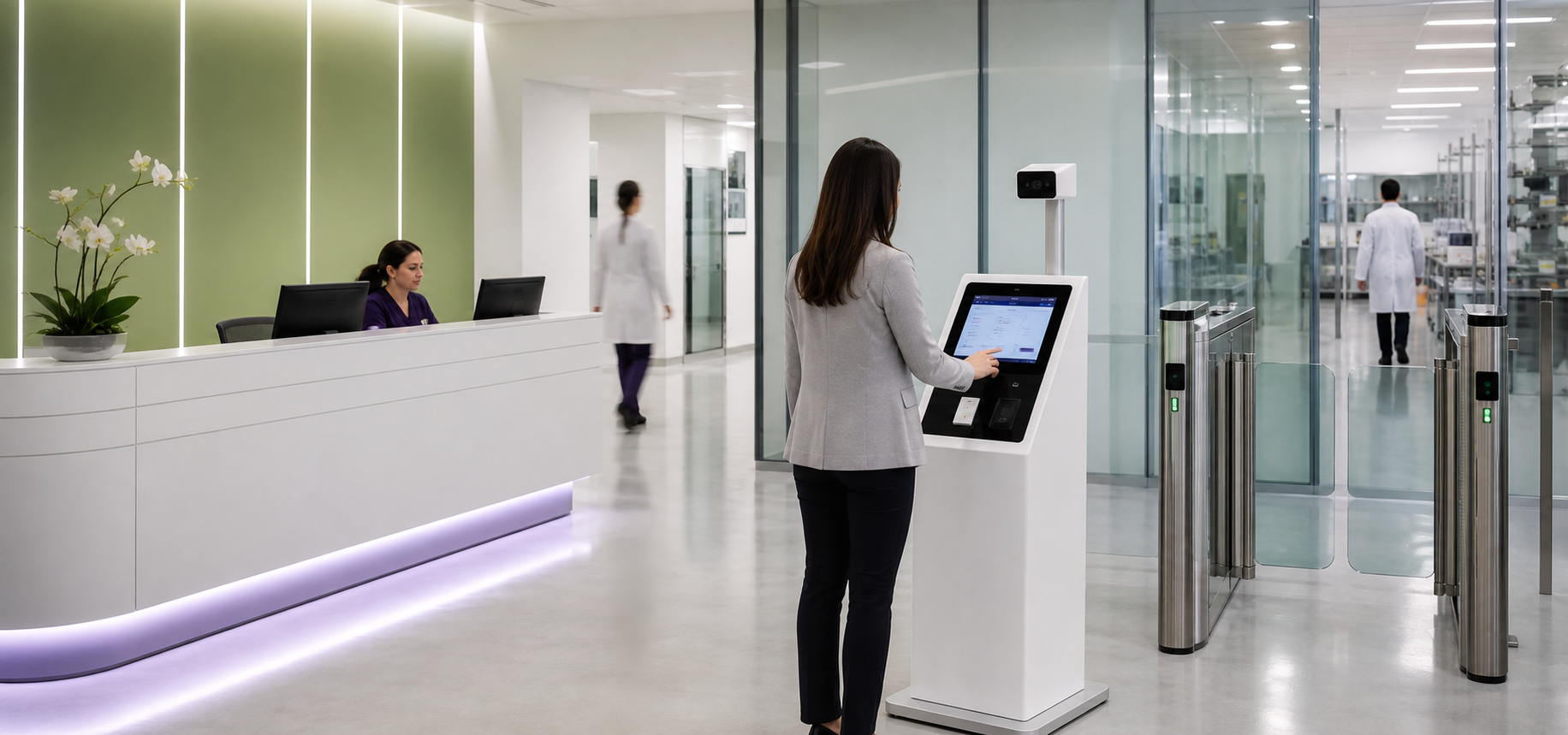
Healthcare and life science
Multi-point kiosks, compliance workflows, OCR-ready identity capture, facial recognition readiness, audit reports, and visitor control.
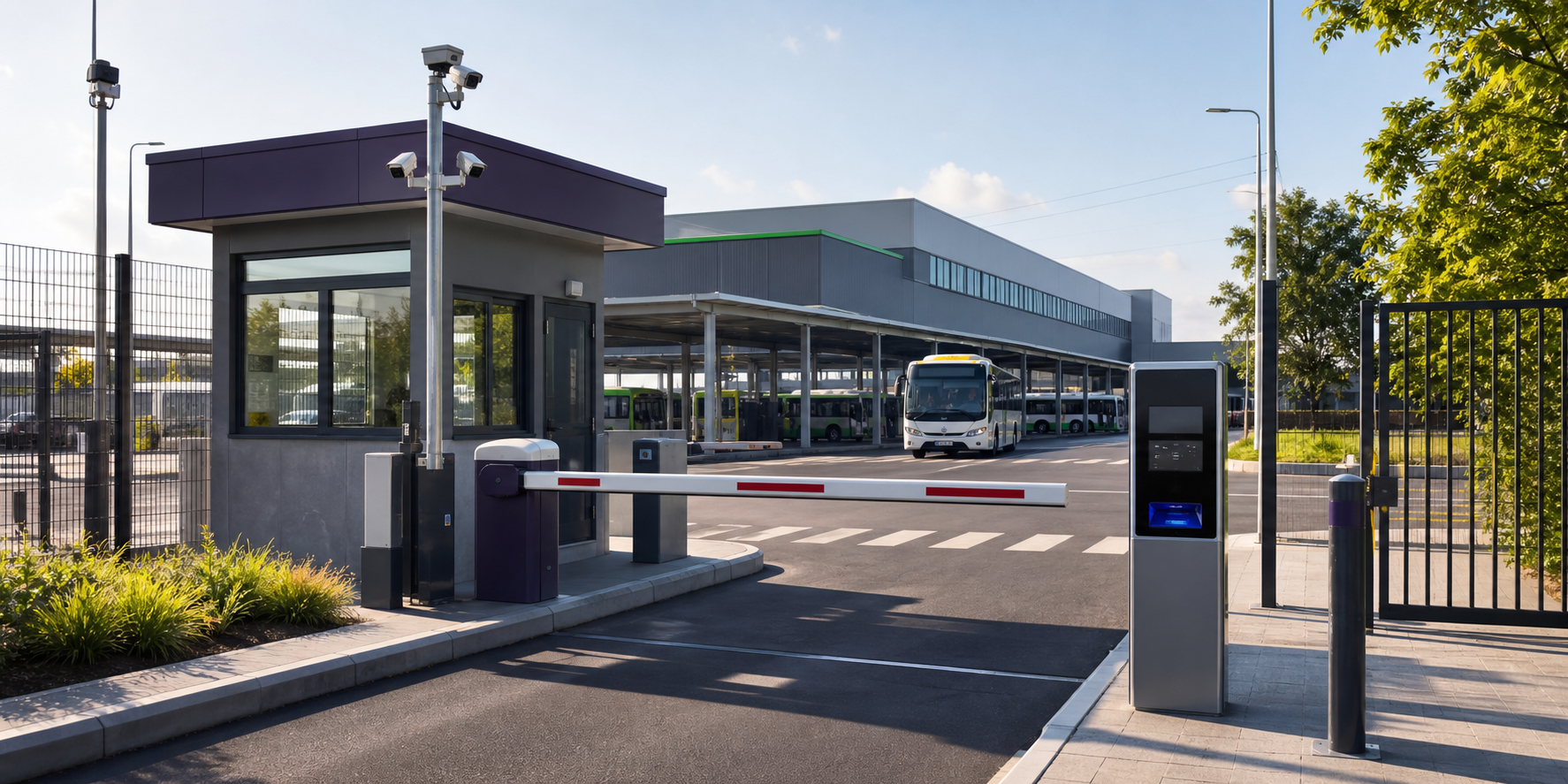
Transport and depots
Depot visitor workflows, access-control integration, QR or card access, blacklist review, stranger alerts, live security review, and reporting.
Residential, club, and facility operations
Guest, member, vendor, event, bungalow, recreation, sports, function-room, service visitor, guardhouse, and lift access workflows.
Visitor Management System FAQ
What makes Qbasis VMS different from a simple visitor logbook?
Qbasis VMS is designed for operations where visitor registration needs to connect with access control, guardhouse processes, kiosks, security review, parking, audit history, and reporting. It is strongest when the site has real integration and workflow requirements.
Can the system support on-premise visitor management?
Yes. Depending on project requirements, the system can support on-premise, local network, standalone, cloud, hybrid, multi-site, or high availability deployment patterns.
Can visitor registration connect to turnstiles, lifts, and barriers?
Yes. Common integration patterns include QR access, card access, turnstiles, doors, lifts, barriers, parking workflows, ALPR, face recognition terminals or cameras, card collectors, badge printers, label printers, PLC-connected controls, Entrypass Xsocket, vendor APIs, and open RESTful API-based systems.
Does the VMS support PDPA-related visitor records?
The platform can support consent capture, visitor records, audit trails, user permissions, data retention planning, exports, and encrypted backup workflows. Actual policy and legal compliance should be configured against each organization’s PDPA obligations and internal controls.
Can Qbasis support multi-site visitor management for different buildings or depots?
Yes. Qbasis can structure visitor workflows by site, entrance, guardhouse, tenant, department, visitor type, or operating team. This is useful when one organization needs consistent reporting while allowing each site to keep its own check-in rules, access points, and approval flows.
Can guardhouse teams handle walk-ins, vehicles, and contractor arrivals?
Yes. Guardhouse workflows can include walk-in registration, returning visitor lookup, planned vehicle arrivals, contractor records, plate details, manual approval, check-in/check-out, overstay review, and exception handling for mismatched or unapproved visits.
Can the VMS include kiosks, badge printers, card readers, and QR scanners?
Yes. Qbasis can design the VMS around reception counters, self-service kiosks, QR scanners, badge or label printers, temporary cards, card collectors, cameras, OCR-ready fields, and other peripherals depending on the tender scope and site constraints.
Can existing visitor records or blacklist lists be migrated?
Usually, yes. Migration depends on the quality and format of the existing data, but typical preparation includes reviewing visitor fields, blacklist records, host lists, company records, card numbers, and retention requirements before importing into the new workflow.
Can different user roles have different permissions?
Yes. A VMS can be configured for administrators, reception teams, guards, security supervisors, tenants, hosts, and reporting users. Role design normally covers who can approve visits, edit records, view sensitive fields, export reports, manage blacklists, and access audit logs.
Next step
Plan a visitor management system around your real site workflow.
Share your visitor types, approval flow, access-control hardware, guardhouse process, reporting needs, and deployment constraints. Qbasis can help scope the right architecture.